
Professionals who desire to work on Daman building projects need to register as a Person on Record (POR) with the Planning and Development Authority. This registration lets architects, engineers, planners, and other professionals officially submit building plans and other related applications through the PDA portal.
The POR Application Form is available online and includes various sections where applicants are required to provide their accurate personal, professional, and qualification information.
This guide explains each section of the form elaborately so that applicants can complete the process without any confusion.
A Person on Record is a registered professional who is authorised to prepare, submit, and manage building plans on the PDA Daman login system.
Once approved, a POR can:
These activities are generally done through the online plan scrutiny system, where building drawings are uploaded and reviewed digitally.
The POR registration form is divided into multiple sections. Each section collects important information about the applicant.
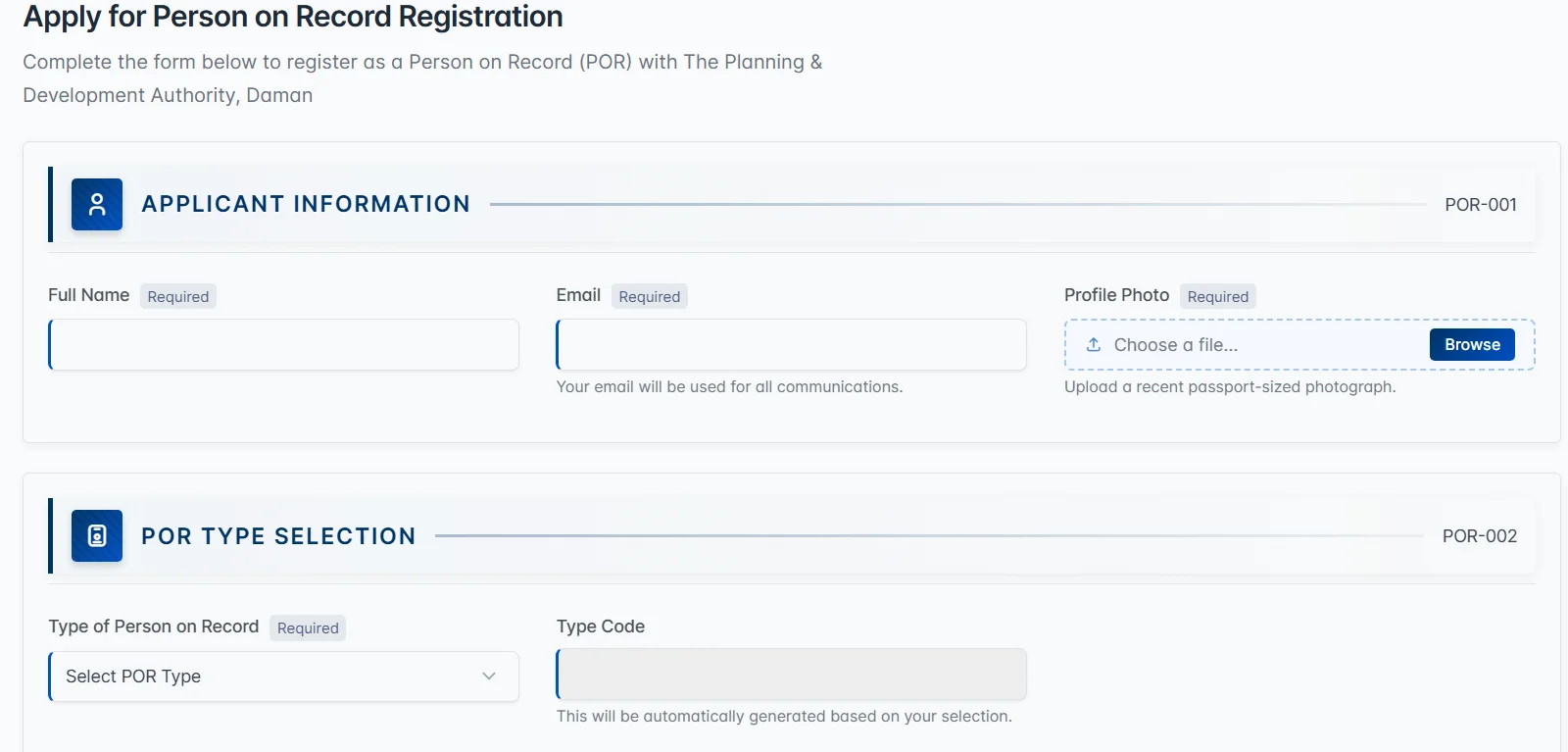
Let’s understand each section step-by-step.
This is the first section of the application form. Here, the applicant must enter basic personal details.
The following information is required:
Make sure the email entered here is active because it will be used for account verification and communication regarding your application.
In this section, the applicant must choose the type of Person on Record. The form contains a dropdown field where you select your professional category.
The categories are:
Once the POR type is selected, the Type Code will be automatically generated by the system based on your selection. Choose the category that correctly matches your professional qualification and work profile.
The Contact Details section collects important identification and address information.
Applicants must provide the following:
These details help verify the applicant’s identity and maintain official records.
This section collects details about the applicant’s education and professional qualifications.
The form includes the following fields:
Applicants should carefully review these details because the fees and grade level determine their registration eligibility.
The Experience Details section collects information about the applicant’s employment.
Applicants must provide the name of the Employer (if employed)
This information helps the authority understand the applicant’s professional background.
This section is important for applicants who were previously registered.
Enter the registration number if you were already registered earlier. There is also an option indicating that you are already registered in Dadra & Nagar Haveli or Diu.
In such cases, applicants may need to upload a fee challan or related document instead of paying additional fees.
Applicants must upload supporting documents to complete the registration.
Required documents include:
Optional uploads include:
Applicants should make sure that all qualification and experience documents are clear before uploading.
Before submitting the application, applicants must accept the Undertaking Declaration. By selecting the checkbox, the applicant confirms that:
This declaration is mandatory for submitting the form.
After completing all sections, review the form carefully.
Make sure:
Once everything is verified, click Submit Application.
After submission, the application will be reviewed by the Planning and Development Authority. Once approved, the applicant becomes an officially registered Person on Record and can begin submitting projects through the portal.
Filling out the POR (Proof of Relationship) application form becomes simple when you clearly understand each section of the form.
First, make sure you enter all personal details correctly, such as names, addresses, and identification information. Accurate details help avoid errors during verification. Next, attach the required documents that prove the relationship mentioned in the form.
Before submitting the application, review everything carefully. A quick final check can help you catch small mistakes that might delay the process. By following the steps explained in this guide, you can complete the POR application form smoothly and submit it with confidence.